

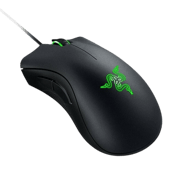
Razer DeathAdder Chroma
1 pro player use this mouse. Compare their configs in the Pro Player Settings hub or calculate your sensitivity with the eDPI Calculator.
About the Razer DeathAdder Chroma
A gaming mouse used by professional CS2 players. Gaming mice designed for competitive FPS typically feature high-precision optical sensors, lightweight construction, and low-latency wired or wireless connectivity.
Why Pros Use It in CS2
Competitive CS2 demands precise, consistent mouse input. Pros choose their mouse based on sensor accuracy, weight, shape comfort for their grip style, and connection reliability. The right mouse is deeply personal — the best choice is the one that feels natural and lets you aim without thinking about your hardware.
Teams Using the Razer DeathAdder Chroma
1 team have players using this mouse.
All Players Using the Razer DeathAdder Chroma

Settings Comparison Table
| Player | Team | Role | DPI | Sens | eDPI | Resolution | Aspect | Display | Refresh | Crosshair Code |
|---|---|---|---|---|---|---|---|---|---|---|
| 🇨🇿 oskar | Fingers Crossed | AWPer | 400 | 3.5 | 1400 | 1024x768 | 4:3 | Stretched | 1000Hz | CSGO-SraWF-sNAY5-mS9u6-4T3k6-8E3YP |
Other Popular Mouses
Frequently Asked Questions
How many CS2 pros use the Razer DeathAdder Chroma?
1 professional CS2 players in our database currently use the Razer DeathAdder Chroma. This makes it a notable mouse choices among the competitive scene.
What settings do Razer DeathAdder Chroma users prefer?
Players using the Razer DeathAdder Chroma average 400 DPI, 3.5 in-game sensitivity, and 1400 eDPI. This puts them in the high sensitivity range, slightly above the overall pro average of 860 eDPI.
Is the Razer DeathAdder Chroma good for competitive CS2?
With 1 professional player using it, the Razer DeathAdder Chroma is a proven choice at the highest level of CS2. Teams like Fingers Crossed have players using this mouse. However, personal comfort and preference are the most important factors when choosing gear.